


If you are running ads on LinkedIn and want to push LinkedIn ad leads into your CRM like HubSpot, there are three ways to do it.
The first is the standard way, but inadequate, the second is too tedious, while the third is automatic and better (spoiler: it’s ZenABM).
Let’s see all three.
This is the most basic solution.
Here, you must install HubSpot’s tracking script on your landing pages and use UTMs on your LinkedIn ad links.
The UTMs tag the source as “LinkedIn,” and HubSpot’s cookie (hubspotutk) captures those params on entry.
Now, this method is only able to track a LinkedIn ad lead and lodge it into your CRM if these stars align:
Yes, theoretically, cross-session lead attribution to LinkedIn is available in HubSpot, but it’s cookie-dependent:
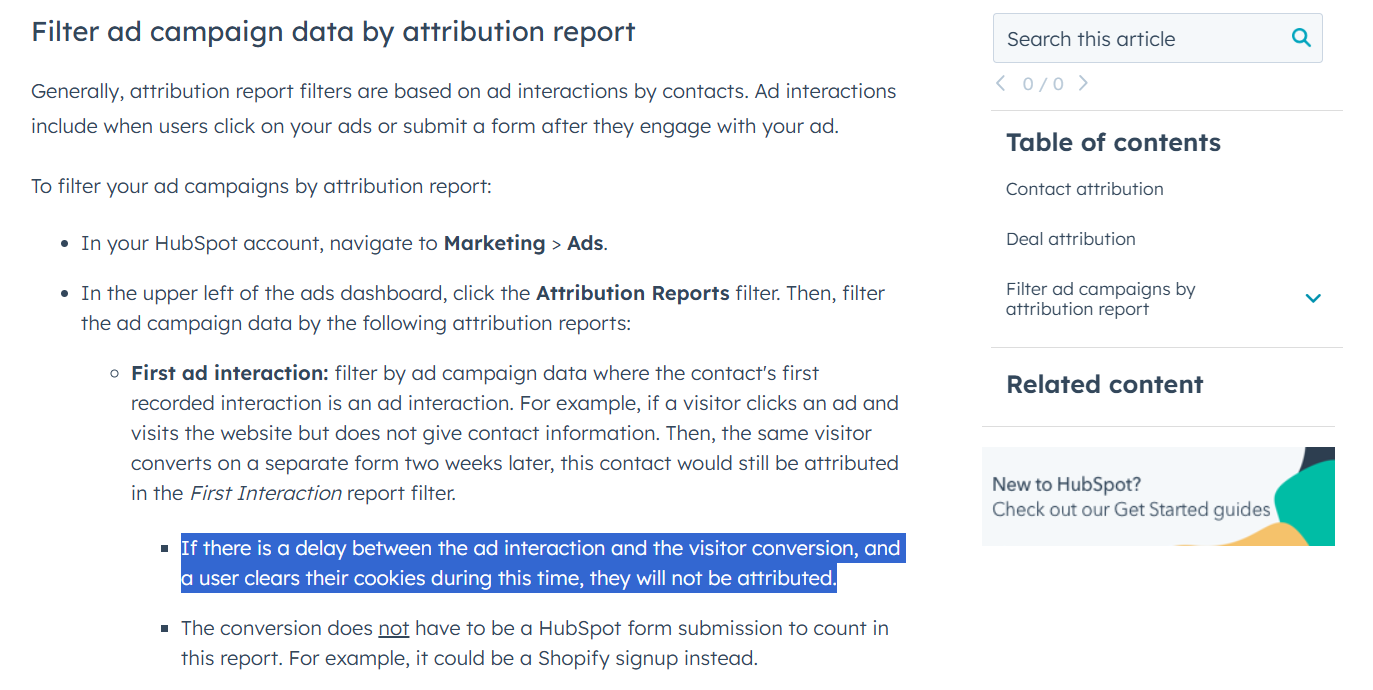
This entire chain relies on that visitor’s browser keeping the HubSpot cookie intact. If they clear cookies, switch browsers/devices, or delay too long, HubSpot loses its tracking context. The form then looks like a new visitor with no LinkedIn trace.
In the first example, we saw how it misses all view-through attribution, and cross-session click-through lead-tracking hardly works.
So, here’s a multitool workaround for that:
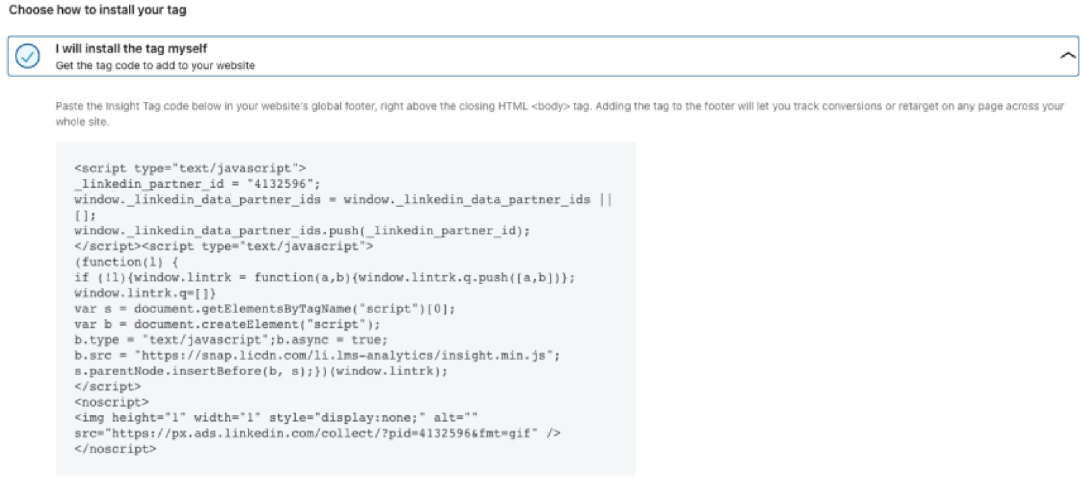
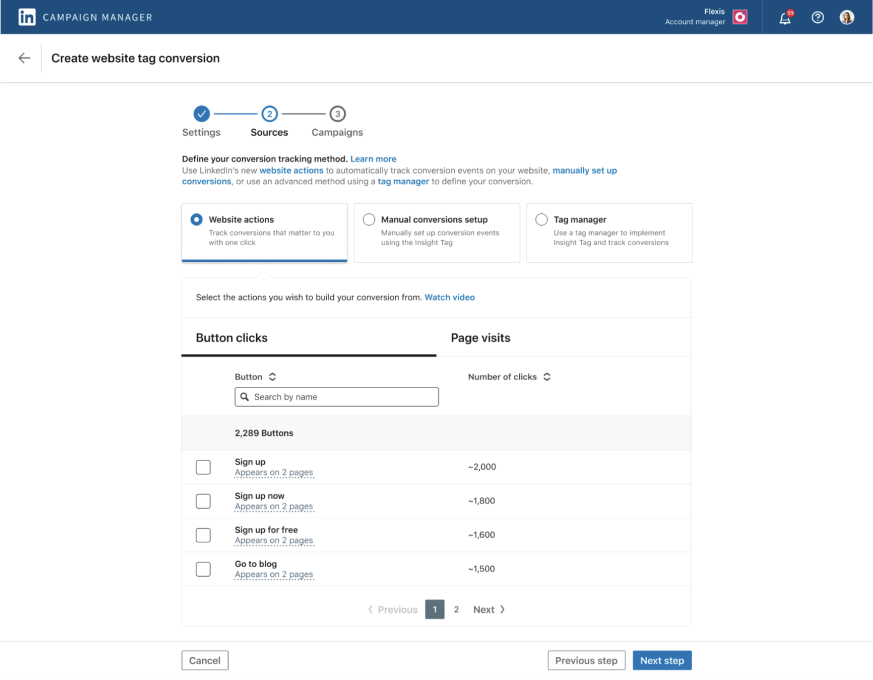
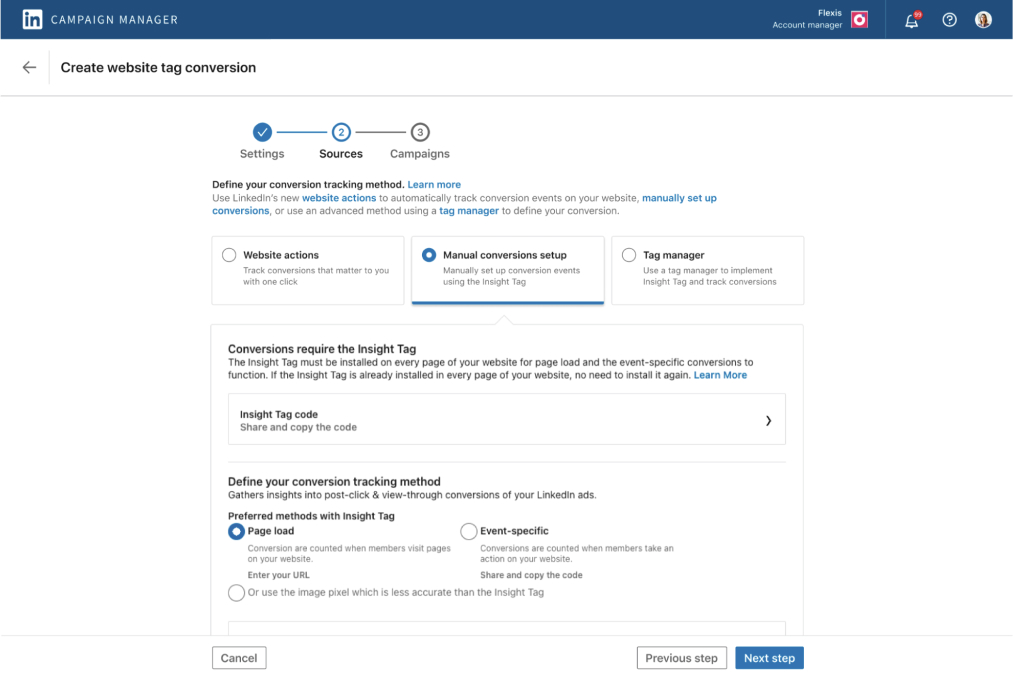
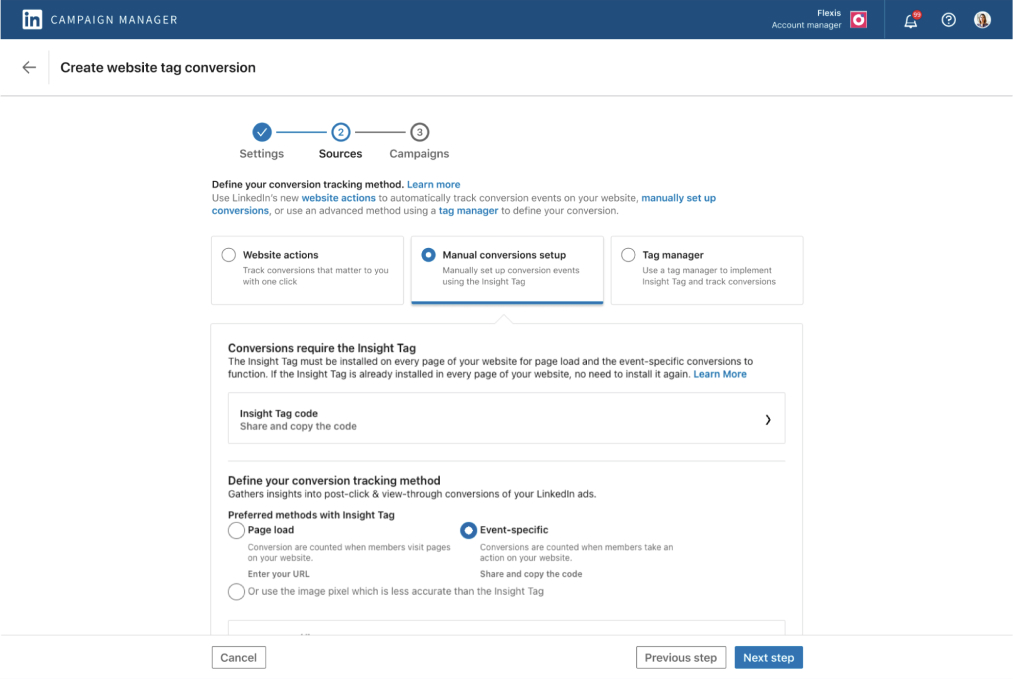
And set up the CAPI:
/conversionEvents, including the rule URN, timestamp, value, and user identifiers.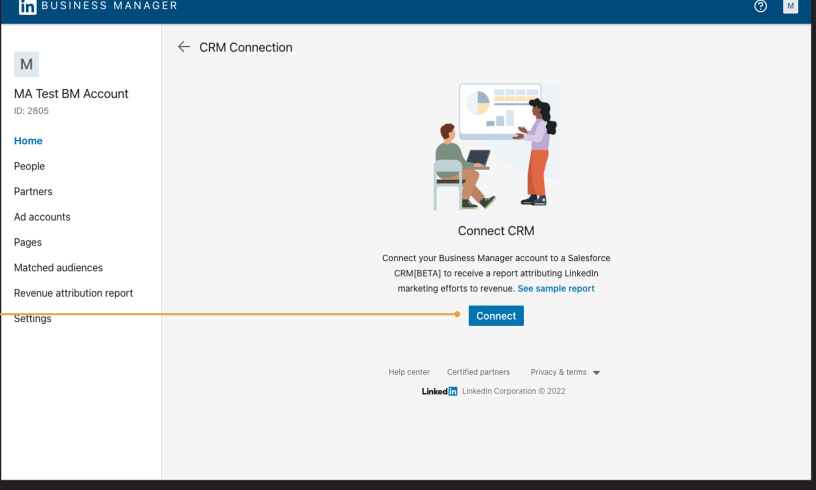
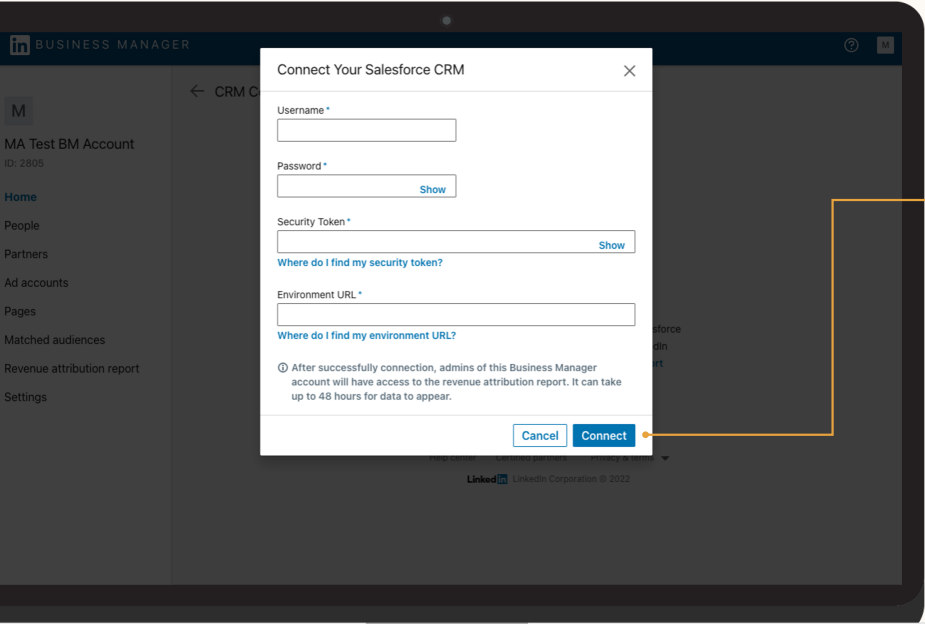
Now, at this point, you’ll be able to see even view-through leads, i.e. the ones who saw your LinkedIn ad and later filled a form by reaching your site through some other channel.
But you’ll have to download the lead data regularly from Business Manager and upload it to your CRM like HubSpot.
Even after all this, you’ll have three problems:
There’s a way to track cross-device LinkedIn ad leads, or if a lead from a company is not the same as the ad viewer: Campaign Manager.
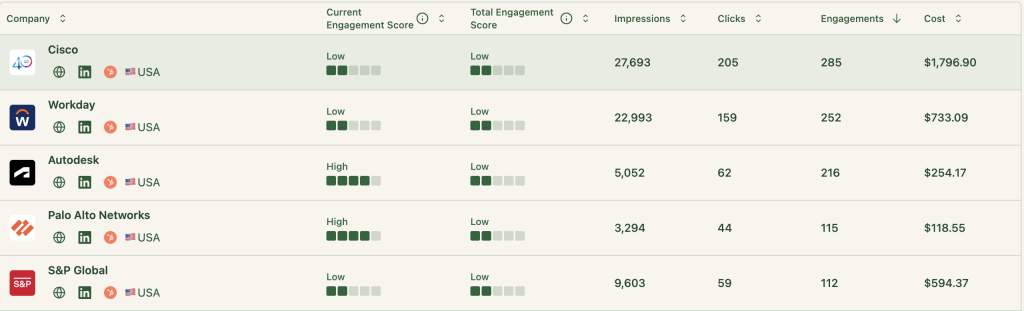
Campaign Manager’s Companies tab shows company-level LinkedIn ad impressions, clicks, and engagements, so you can check if a certain lead’s company has had impressions and engagements in the near past.
If yes, the lead is most probably influenced by LinkedIn ads and can be credited to them. Yes, this is again labour-intensive, because you’ll have to track each new batch of leads and match their company to the campaign manager’s data more than once every day!
In the first way, we were completely missing out on view-through leads, and that’s a huge problem on LinkedIn, where the CTR is hardly 0.4-0.5%:
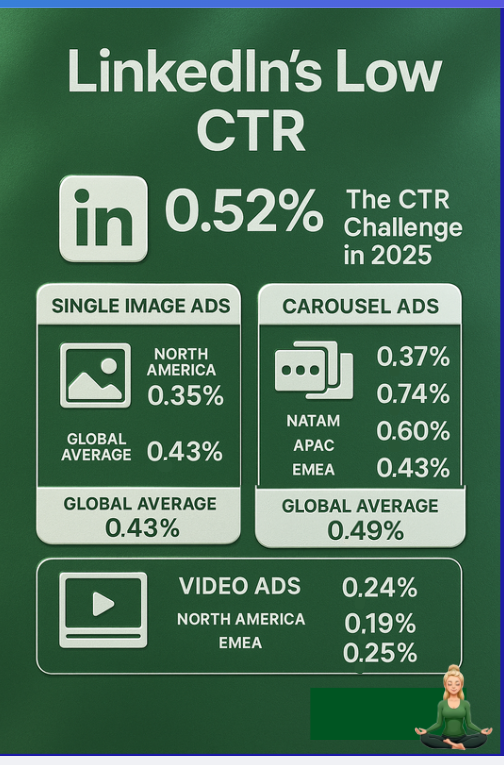
Which means just 4-5 out of every 1000 viewers click on ads. But that doesn’t mean LinkedIn ads bring no leads.
Instances like someone viewing your ad but coming organically to your site later are too common.
In the second way, we were able to track view-through LinkedIn ad leads and push them to your CRM, but it needed a lot of manual ops and switching from one tool to the other – something you can’t afford while tracking leads because you want sales to reach out to them immediately.
So, here’s the third way: Ditch leads and embrace MQA (marketing qualified accounts). And it actually makes more sense in B2B because DMUs/committees make decisions, not individuals.
And ZenABM can help you with this.
It pulls company-level impressions, clicks, engagements, and ad spend from LinkedIn’s official API:

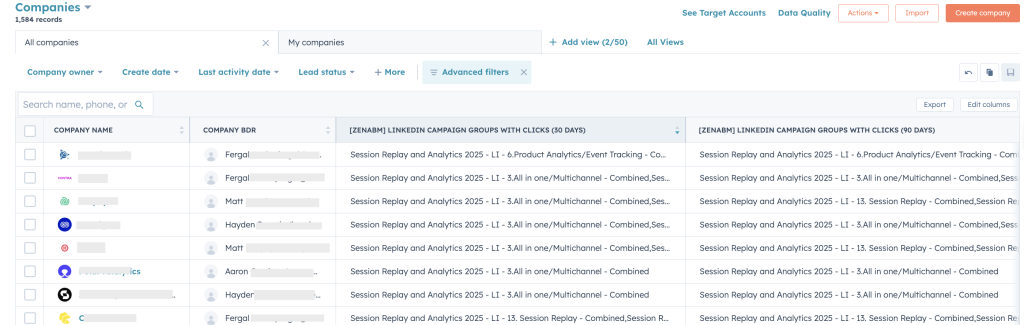
And pushes this data to your CRM automatically as company properties:

So, your sales team has all the company-level engagement data in their comfort place – your CRM.
Any company showing a high amount of engagement is your MQA now, and you must reach out to its decision makers via a BDR outreach.
Also, if you want a hybrid approach of MQAs and LinkedIn ad lead tracking, that’s easier too with this way: Whenever a lead fills a form, you just have to check their company’s engagement levels in the near past, and if they are high, you can attribute the lead to LinkedIn.
This way, each company and lead from it will be on your radar constantly, and your marketing and sales team will not miss a single ‘hot’ account.
ZenABM doesn’t stop at data syncing. It layers on growth-driving intelligence:
ZenABM calculates a rolling “Current Engagement Score” (e.g., last 7 days) for each account, flags hot prospects, updates ABM stages, and automatically hands them off to BDRs (no custom workflows needed).
Define your own rules, combining ad signals and CRM data to map every account’s ABM stage.

ZenABM not only pushes engagement into your CRM but also pulls back deal values, matching pipeline and closed-won revenue to the accounts that engaged.
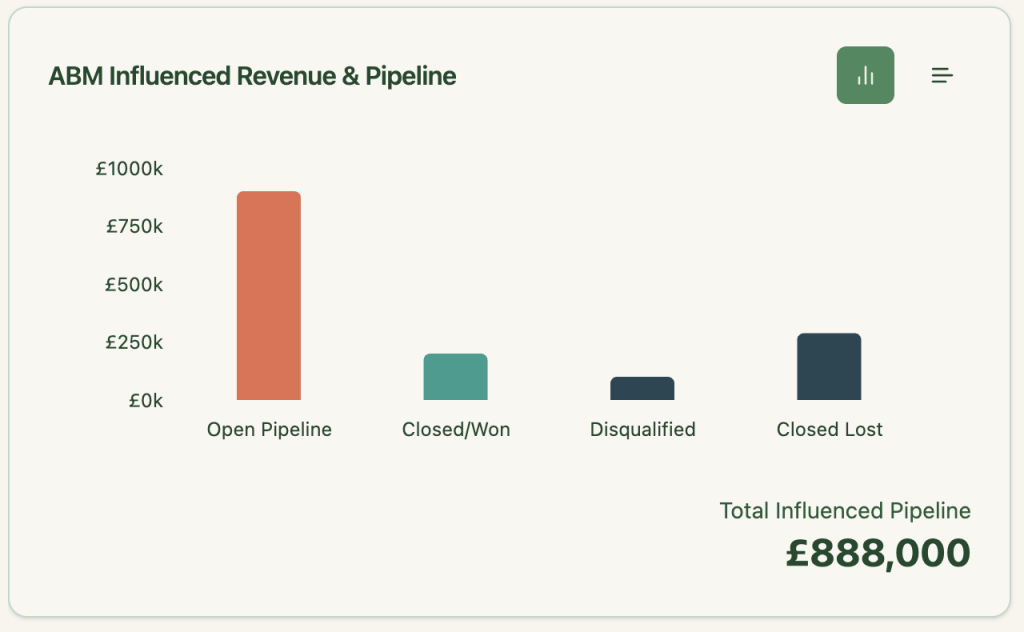
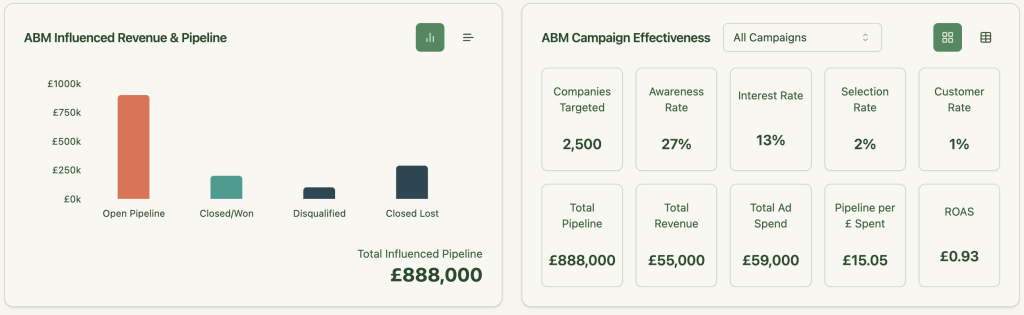
Pre-configured dashboards show key metrics like pipeline, spend, and ROAS segmented by account. All the math is done for you.
If you promote different product features to segmented campaigns, ZenABM detects which companies show interest in which use cases and pushes that intent as a property to your CRM (no complex workflows required).
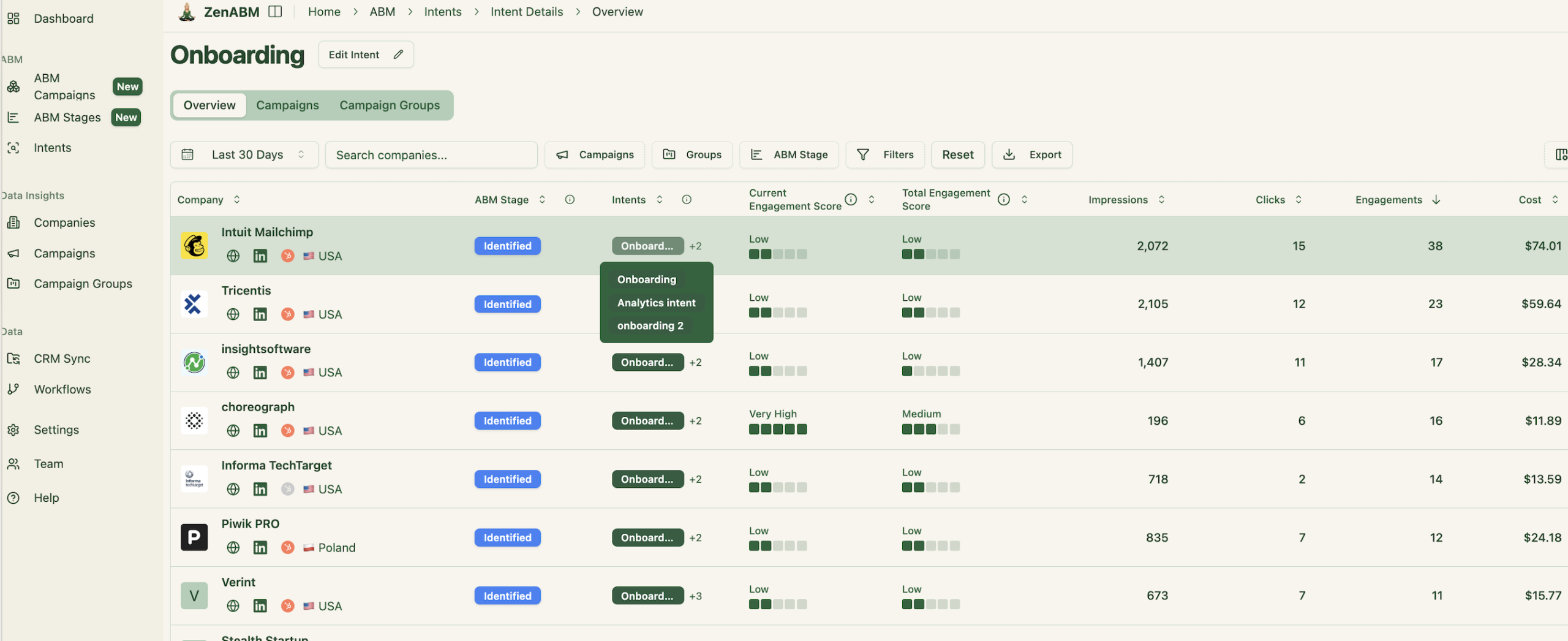
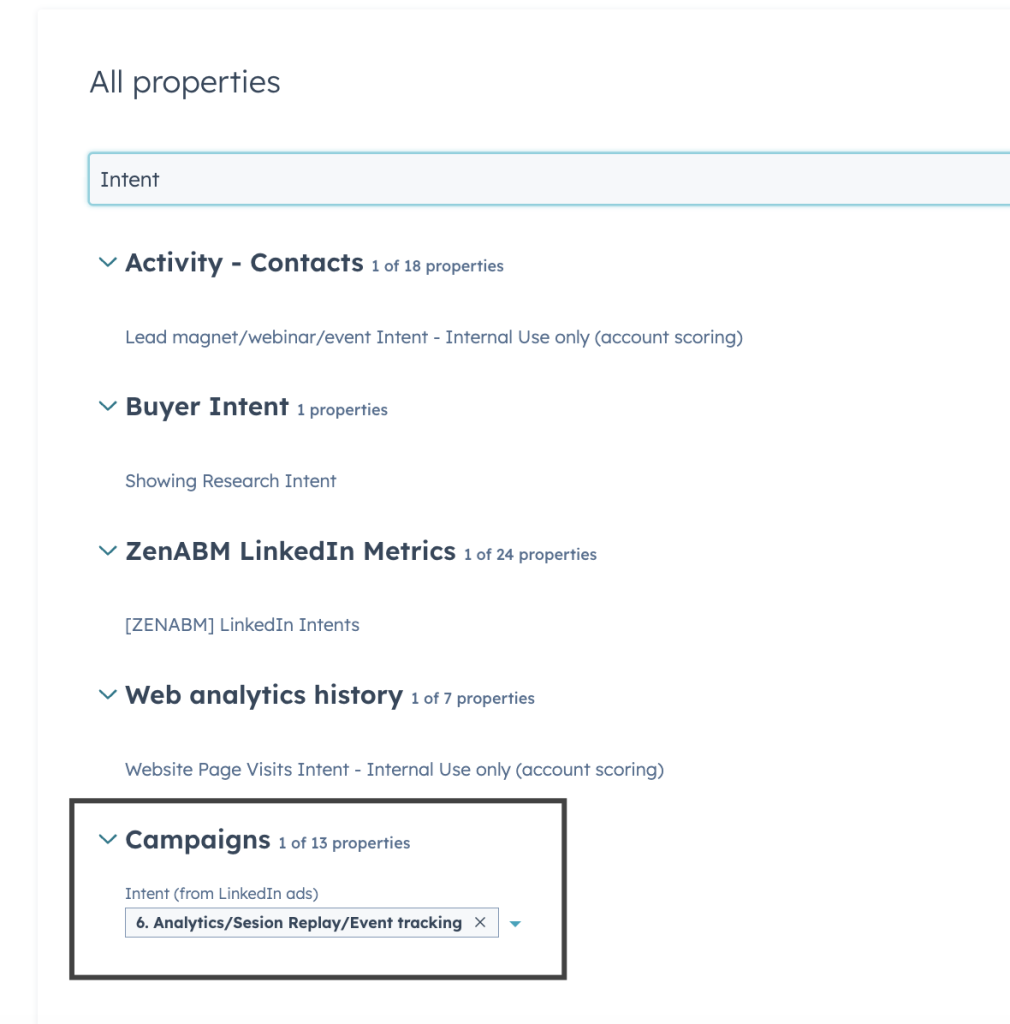
For advanced campaign design tips, see our guide on running ABM on LinkedIn.
If you’re still trying to squeeze LinkedIn ad leads into HubSpot through cookie-dependent methods or manual ops nightmares…good luck.
Truth bomb: lead-level tracking is fundamentally broken on LinkedIn. The CTRs are atrocious, buying committees never behave neatly, and cross-device chaos is the norm, not the exception.
Instead, move to the smarter, cleaner path: Marketing Qualified Accounts (MQAs). Let your CRM stop chasing cookies and start leveraging the real power of LinkedIn ads: company-level signals. ZenABM automates all the tedious manual steps, gives your sales team crystal-clear account insights.
Stop wasting hours matching leads manually. Start prioritizing high-intent accounts effortlessly.
Ready to transform how you track LinkedIn ad performance?
